Sarathi Connect
The phone helper older people talk to in their own language
They ask out loud, and Sarathi does it: calls, medicine reminders, the radio, photos from family. You see how their day is going, in their time, from wherever you live.
- Free during the beta
- For Android phones
- Family can use any phone or a browser
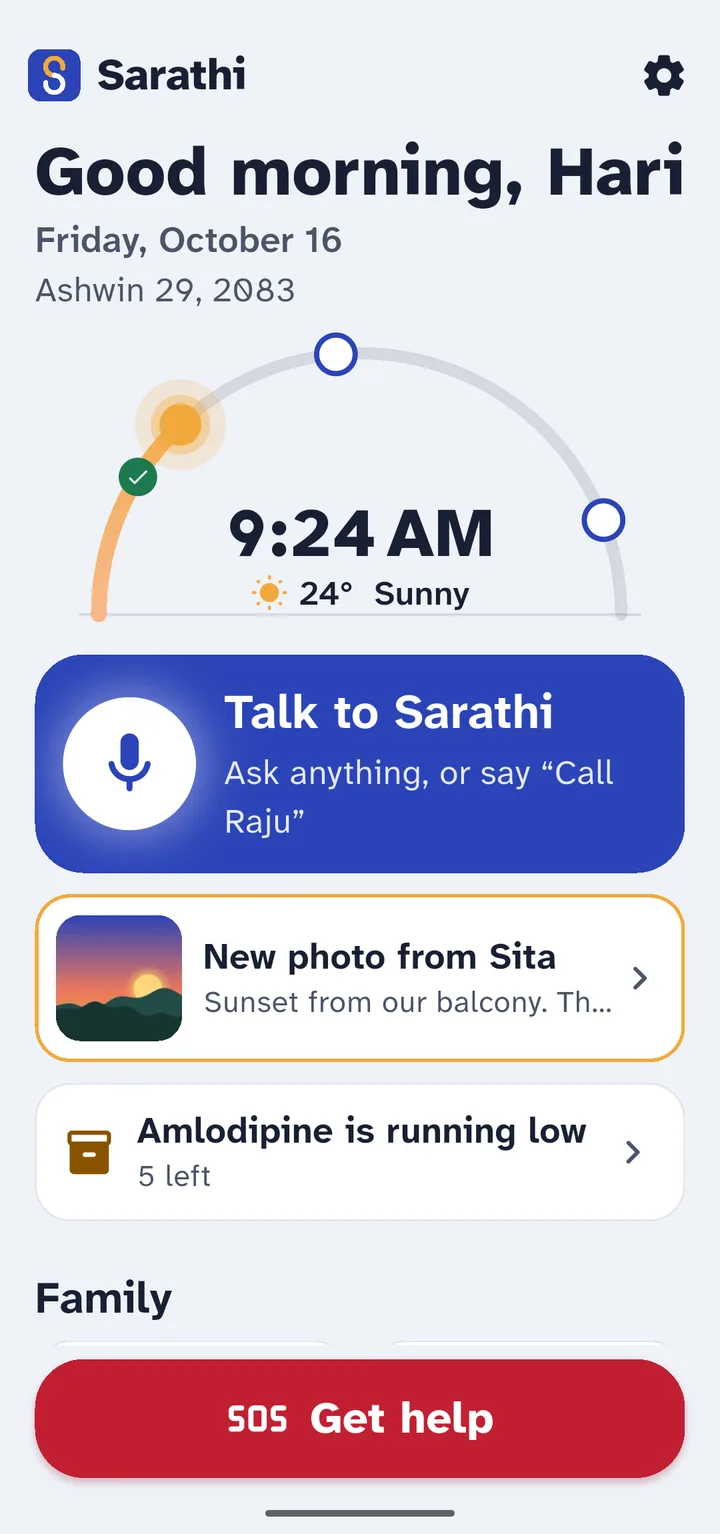
Sarathi home screen: Good morning, Hari. The arc of the day at 9:24 AM, a big Talk to Sarathi button and an SOS button.
Home
The day as an arc from morning to night. Medicines sit on it and turn green when taken.
On their phone
A few big things, done well
Calls, medicines, photos, the radio and help in an emergency. Everything has a word under it, and nothing needs a swipe.
They talk. Sarathi does it.
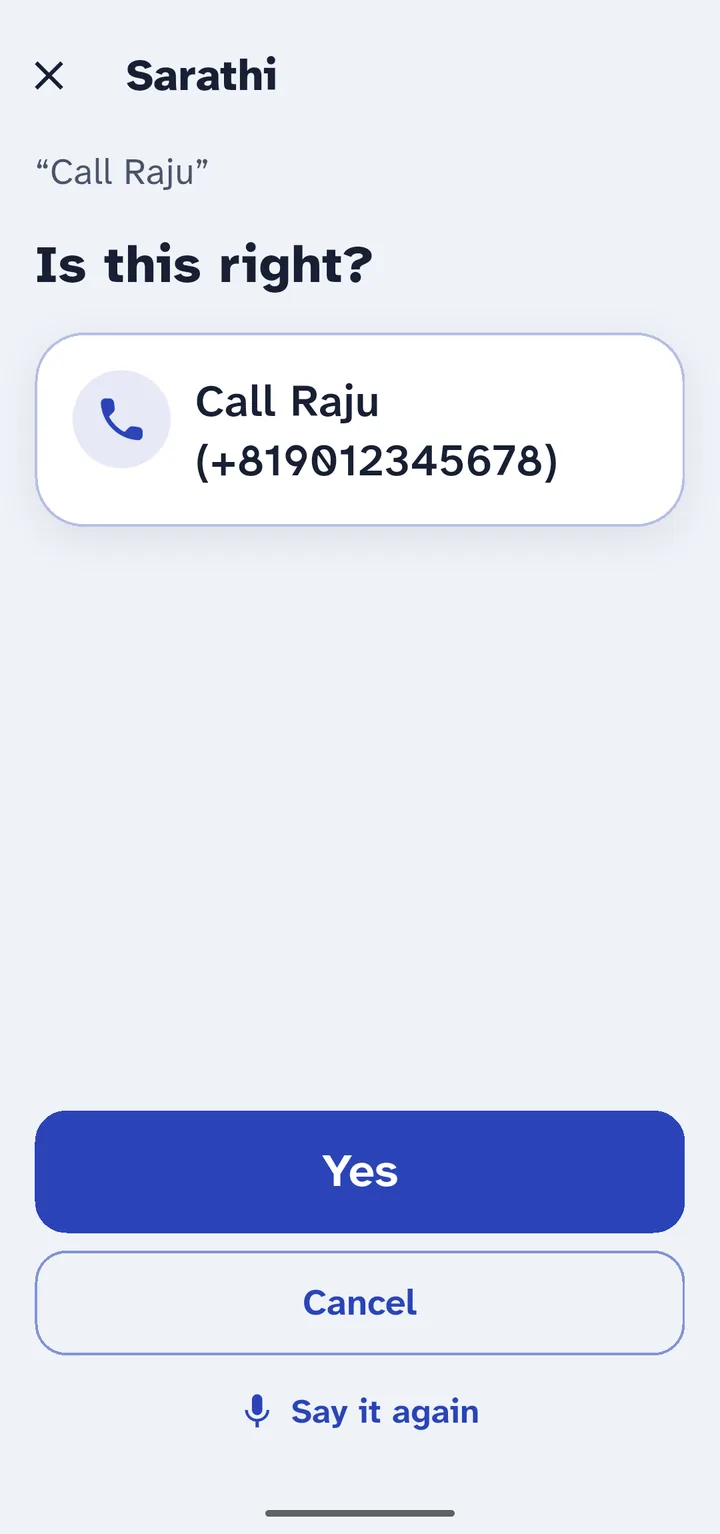
In their own language. Every request is read back, and nothing happens until they say yes.
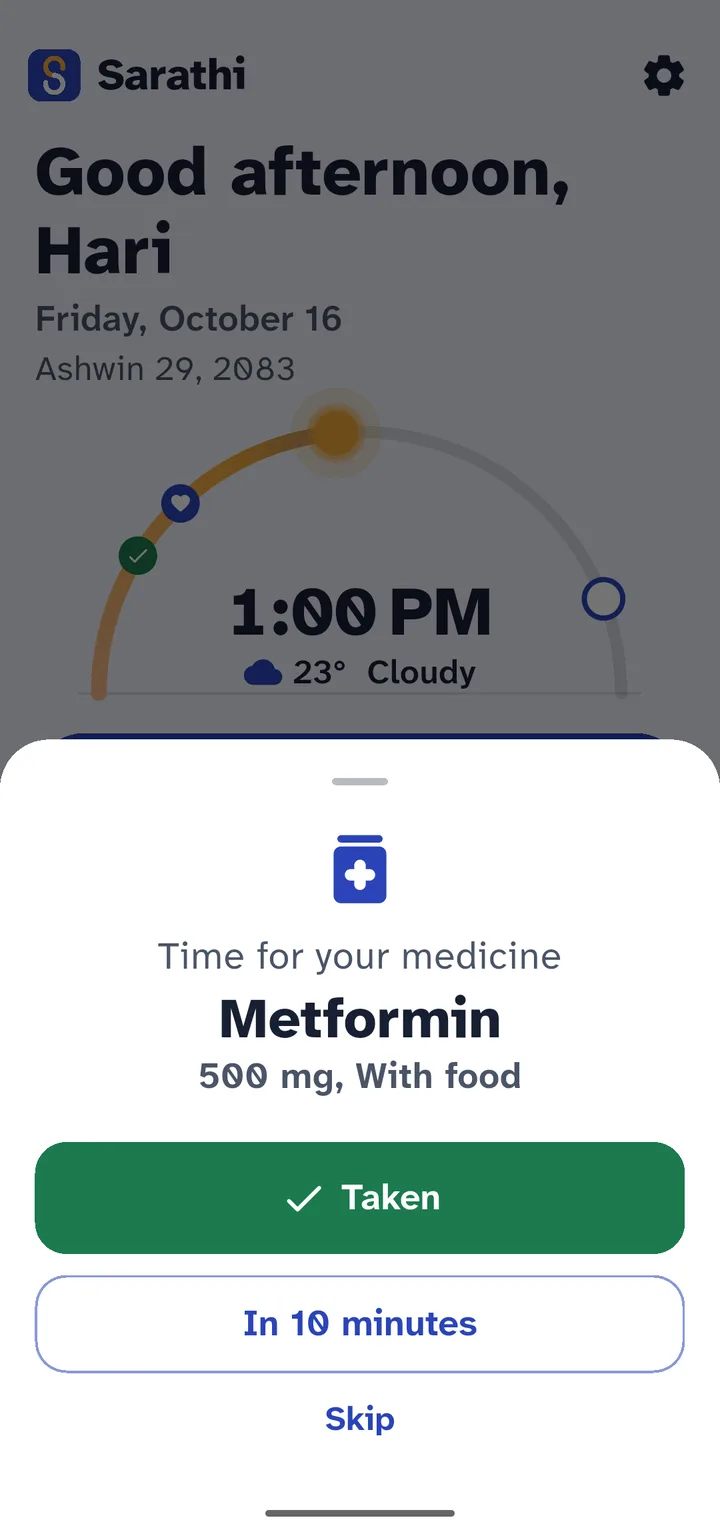
Medicines, in one tap
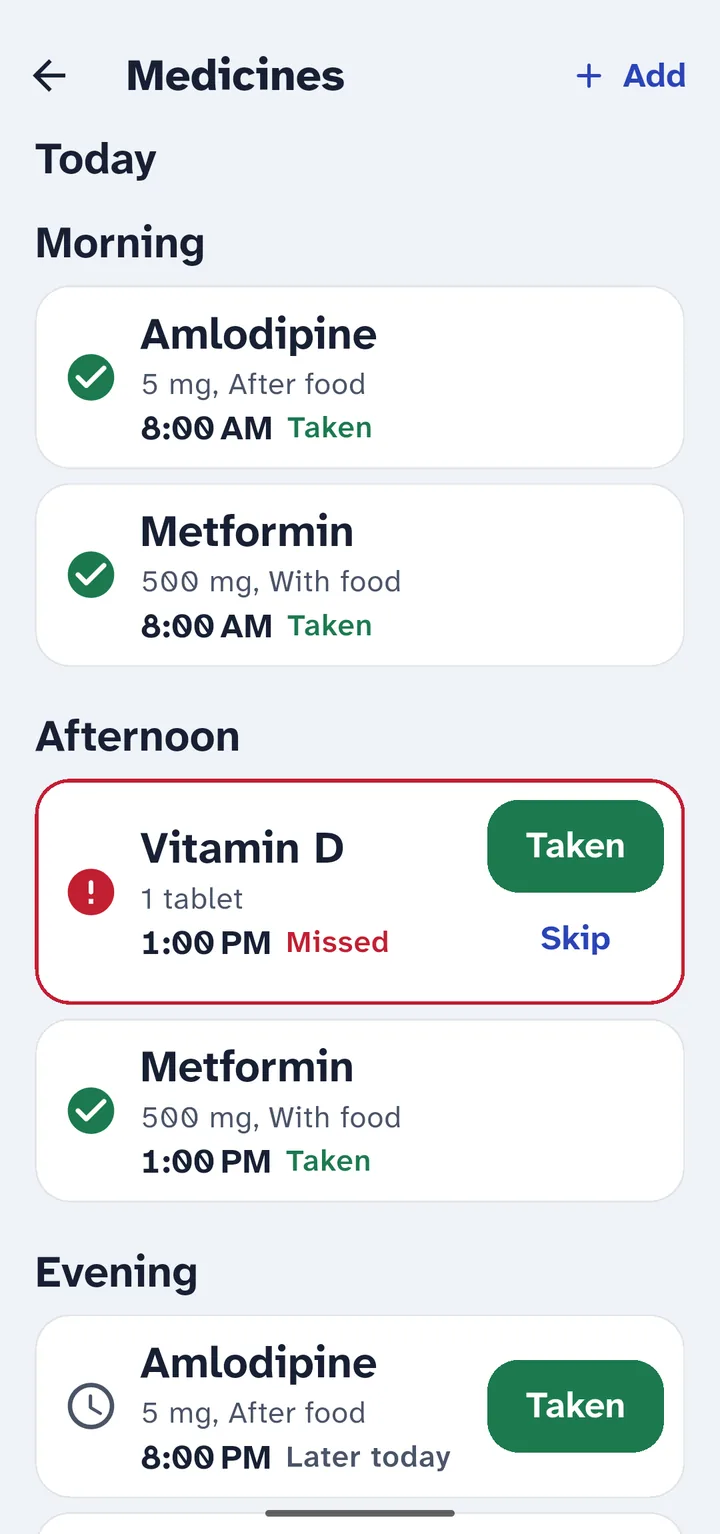
Taken, later, or skip. A missed dose stays on screen.
Photos from family
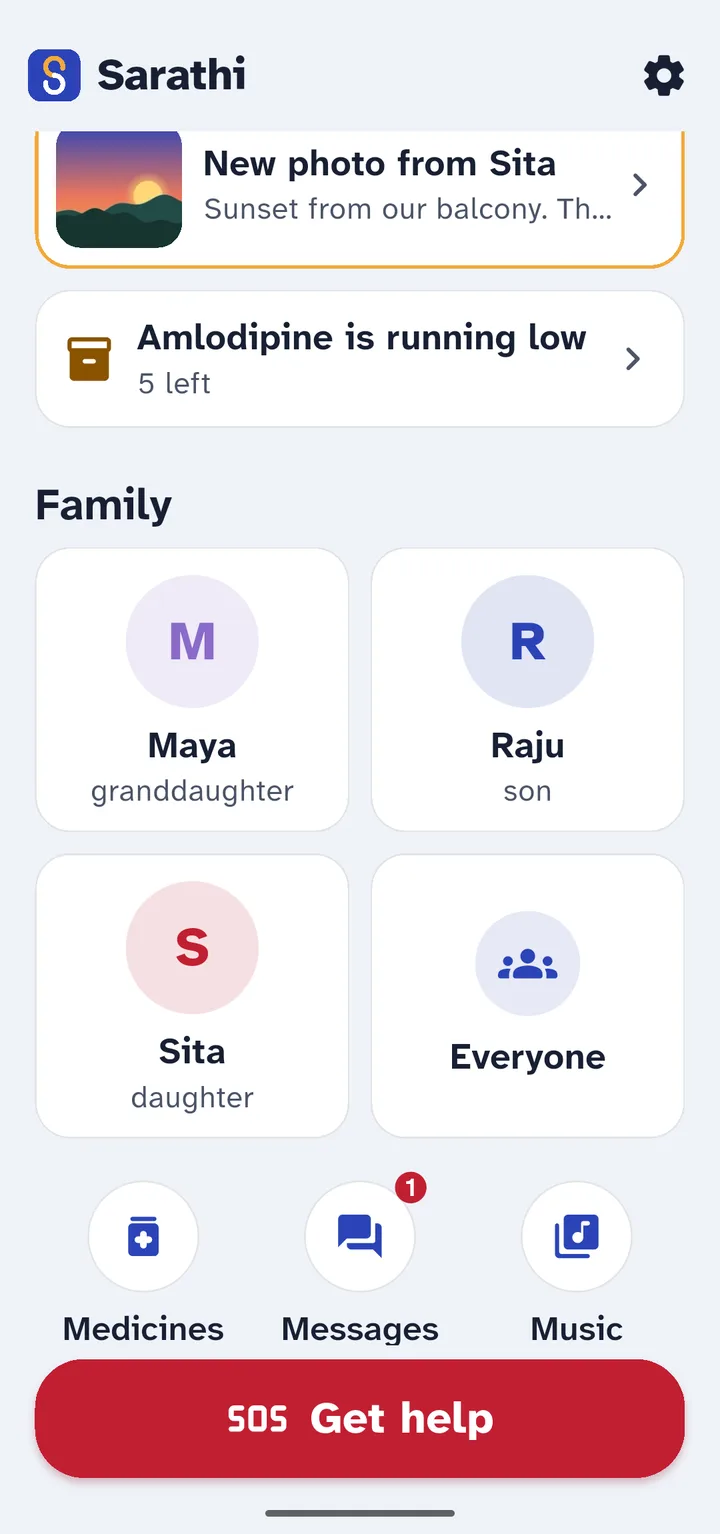
They arrive on the home screen, with your words read aloud.
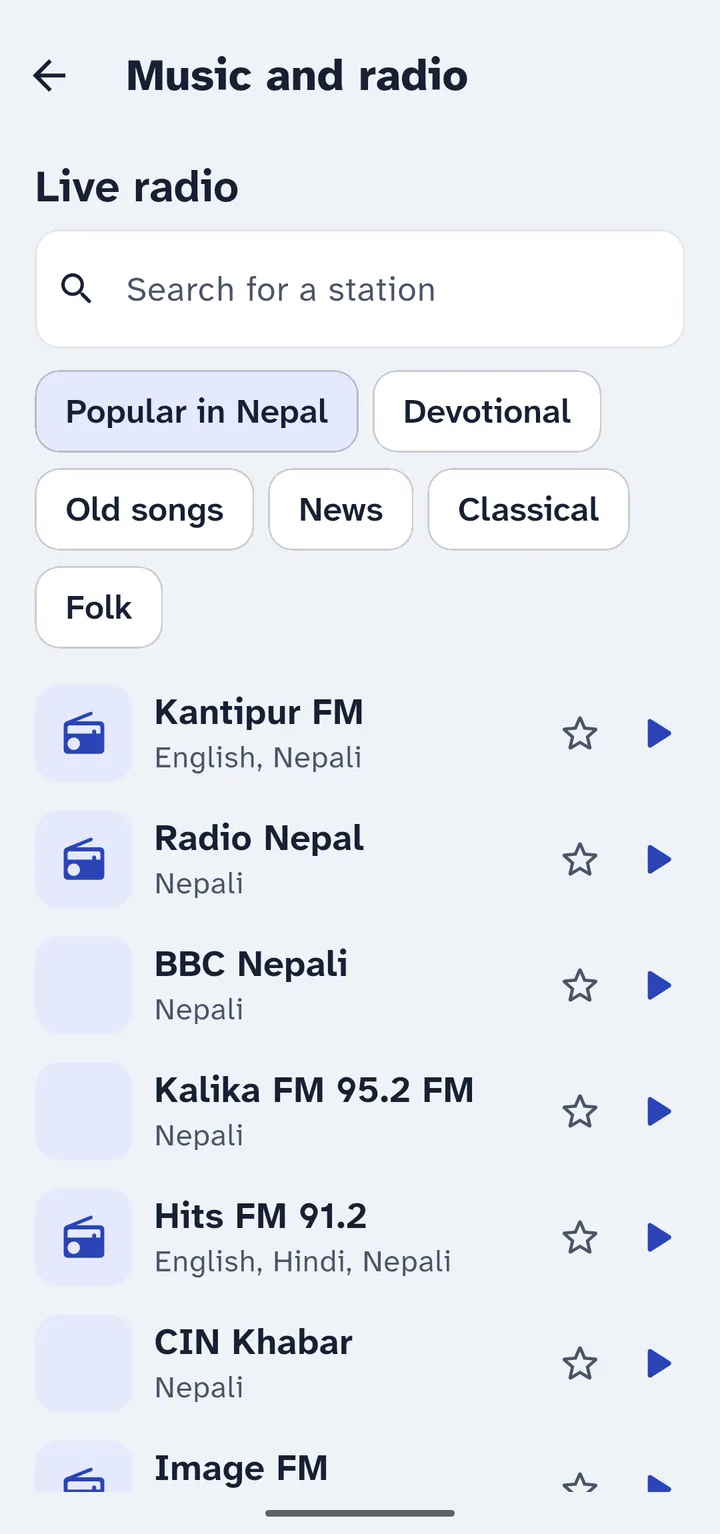
Their radio, from home
Live stations from their own country, a tap away.
SOS calls the right number
The local emergency number in about 190 countries. Their family is told at once, with where they are.
“Is this a scam?”
They can read out a message and ask. Sarathi never sends money and never reads out codes, whoever asks.
Private means private
Family messages for the important things are end-to-end encrypted. We can’t read them, and we never show ads.
A day with Sarathi
One day, two places
Hari is 78 and lives on his own. His daughter Sita lives in London, and his son Raju works abroad. Real screens, made-up people.
Morning, at home
Hari opens Sarathi
His day is drawn as an arc. The morning medicine is already marked as taken. One big button to talk, and SOS at the bottom.
Lunchtime
A medicine is due
A reminder comes up over whatever he is doing. He taps Taken. If he forgets, it stays on his home screen.
His daughter, in London
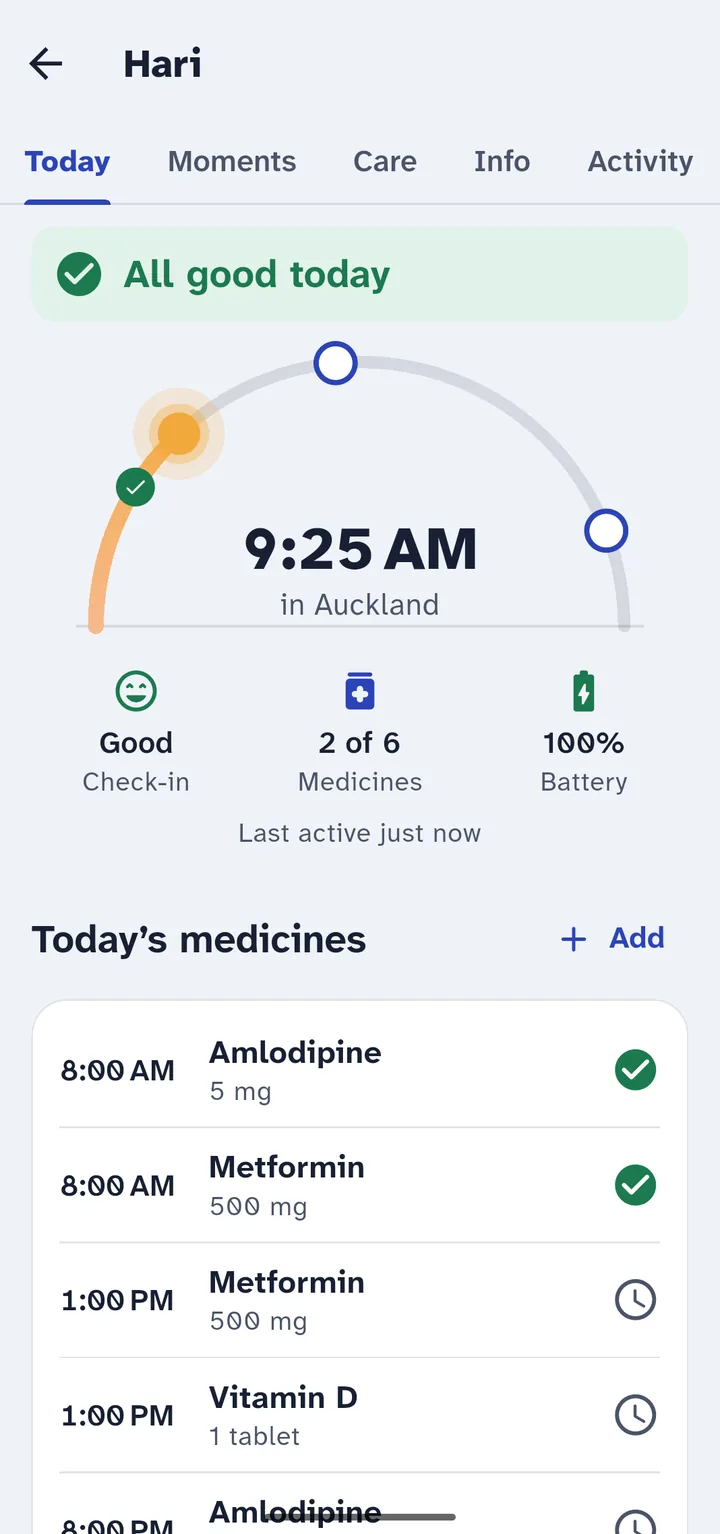
Sita checks how he is
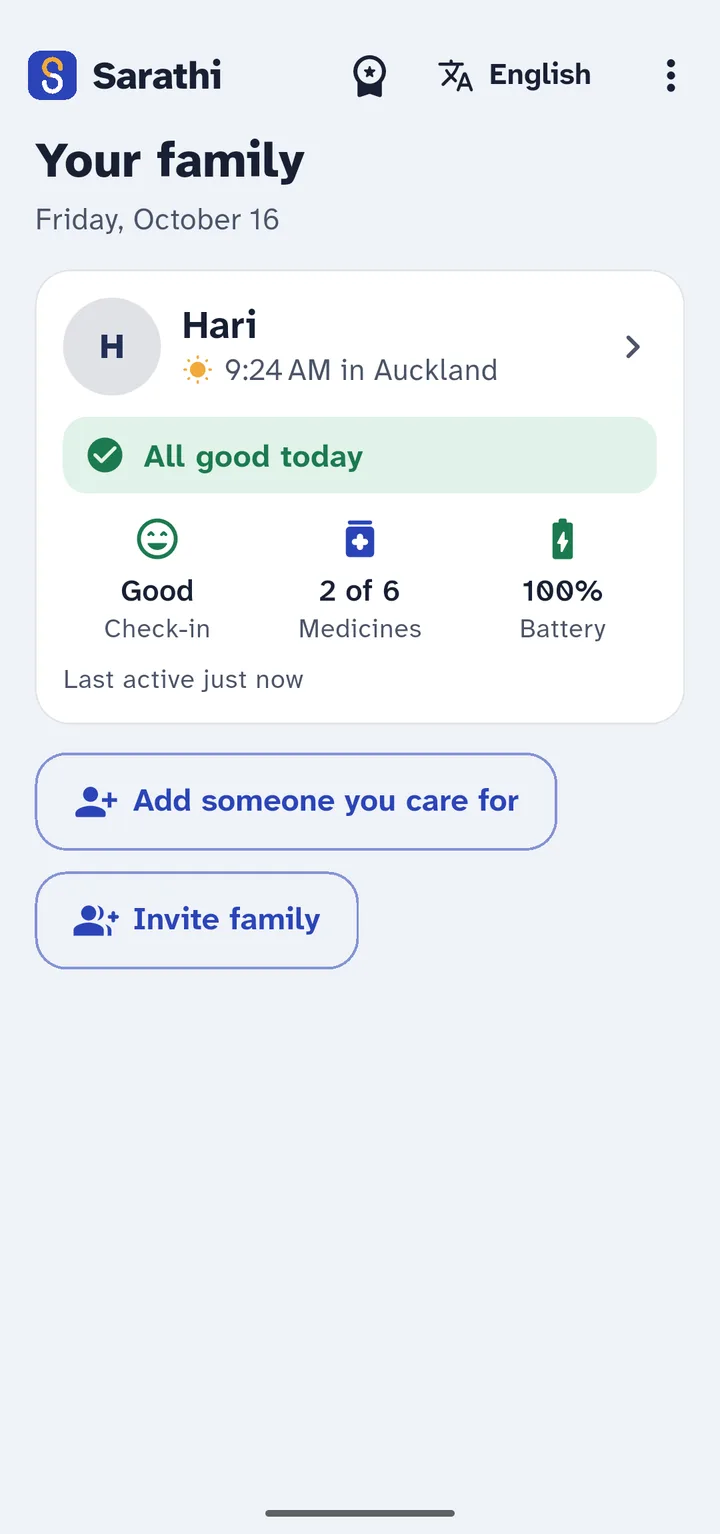
One line tells her: All good today. The time she sees is his time, so she never has to work it out.
Afternoon
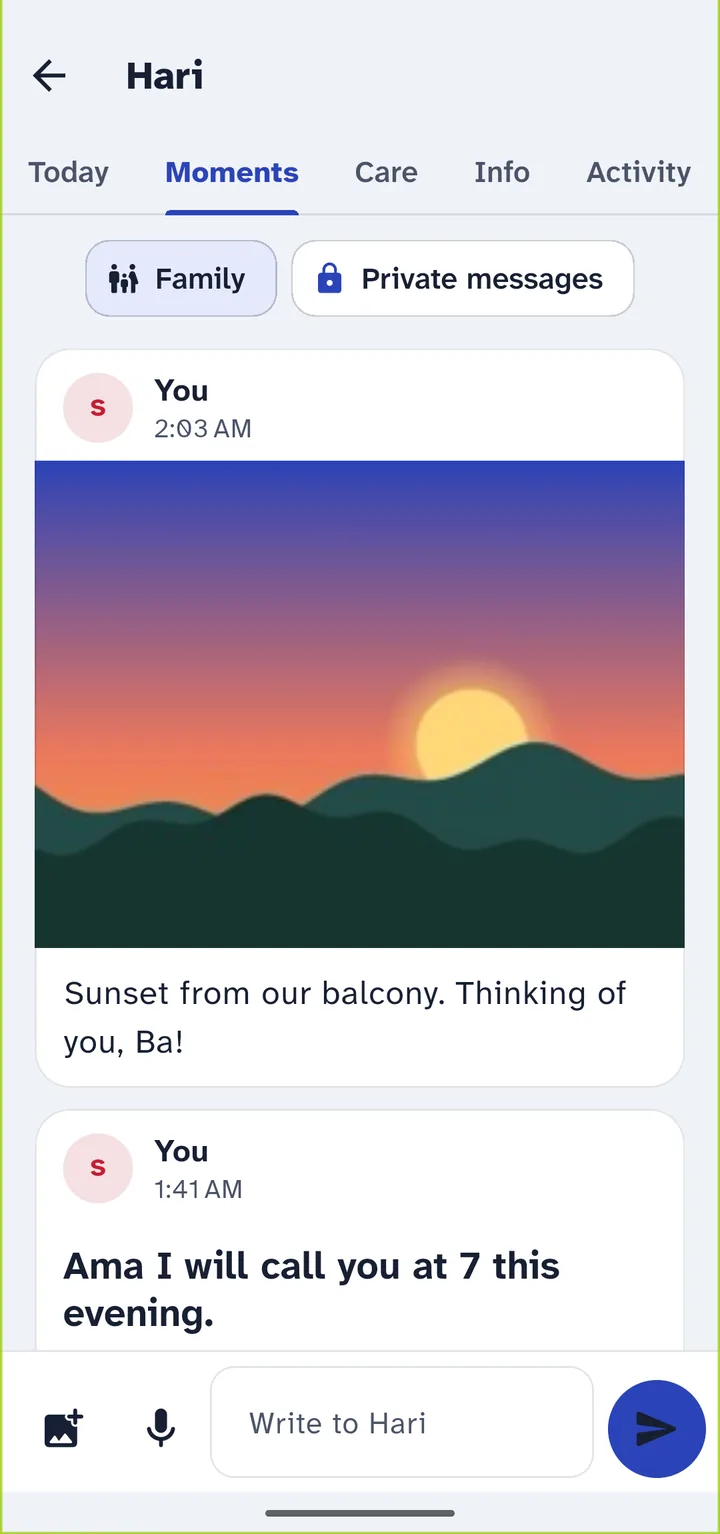
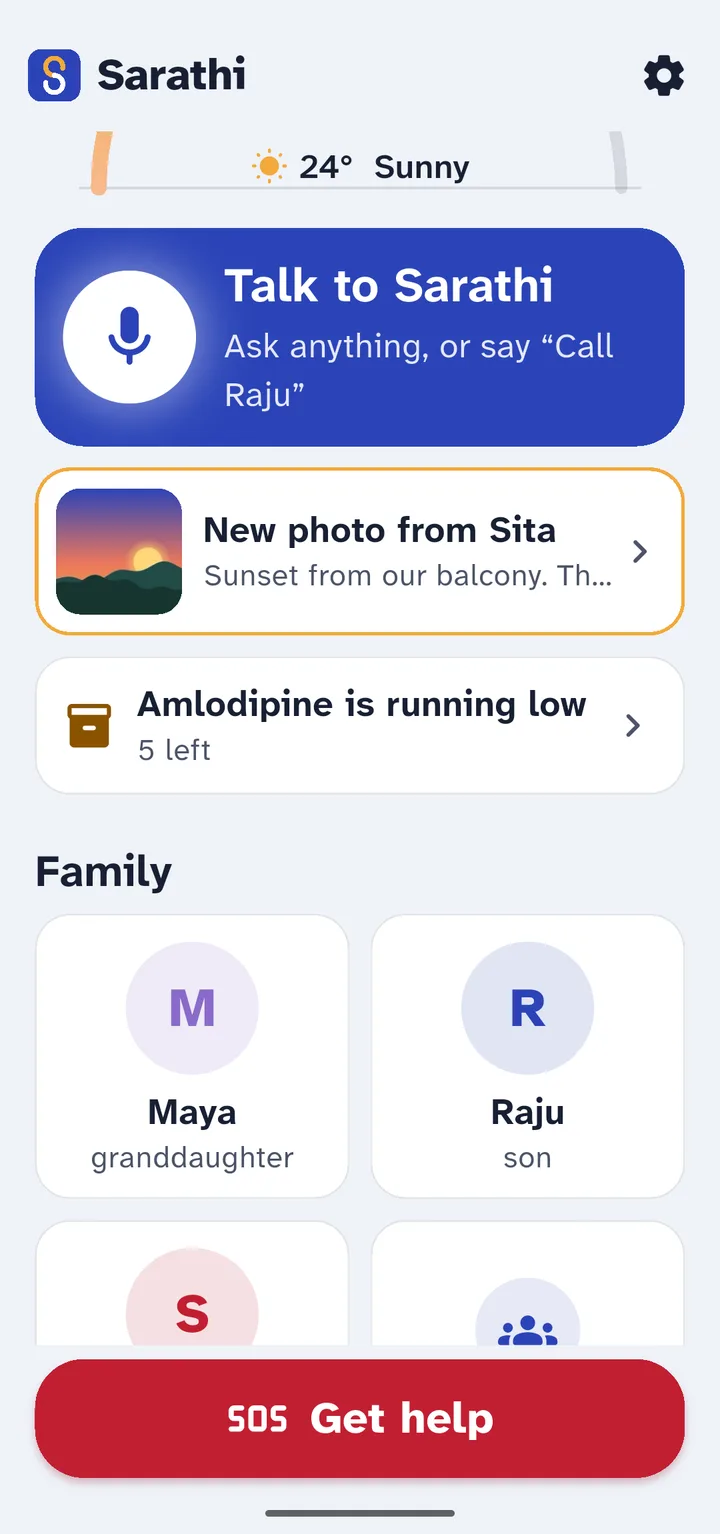
She sends a photo
It appears on his home screen with her words. He can have them read aloud. She sees when he has seen it.
Evening
He asks for a call
He says “Call Raju”. Sarathi reads it back and waits for him to say Yes before it does anything.
For the family
Their day, in their time, wherever you are
On Android or in any web browser, including on an iPhone or a computer. Brothers, sisters and carers can all join.
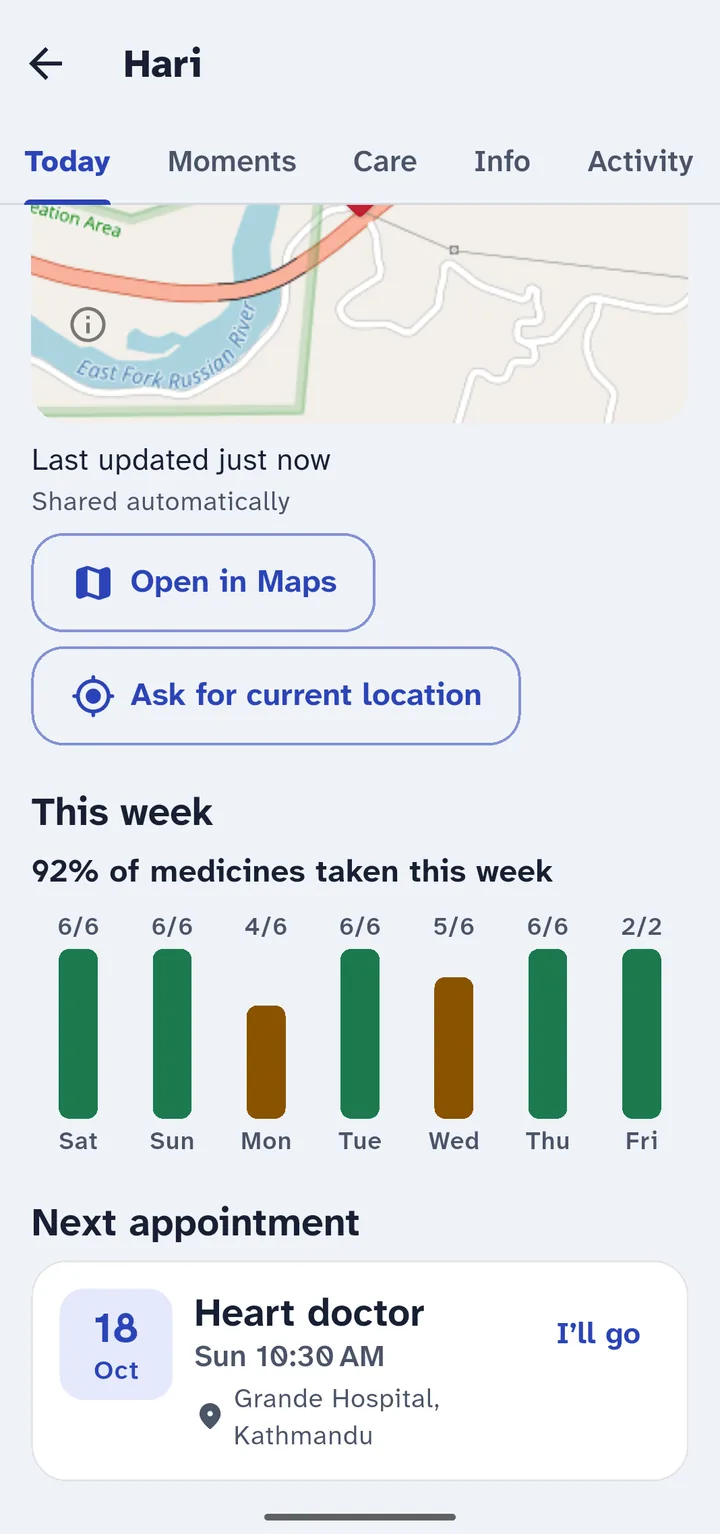
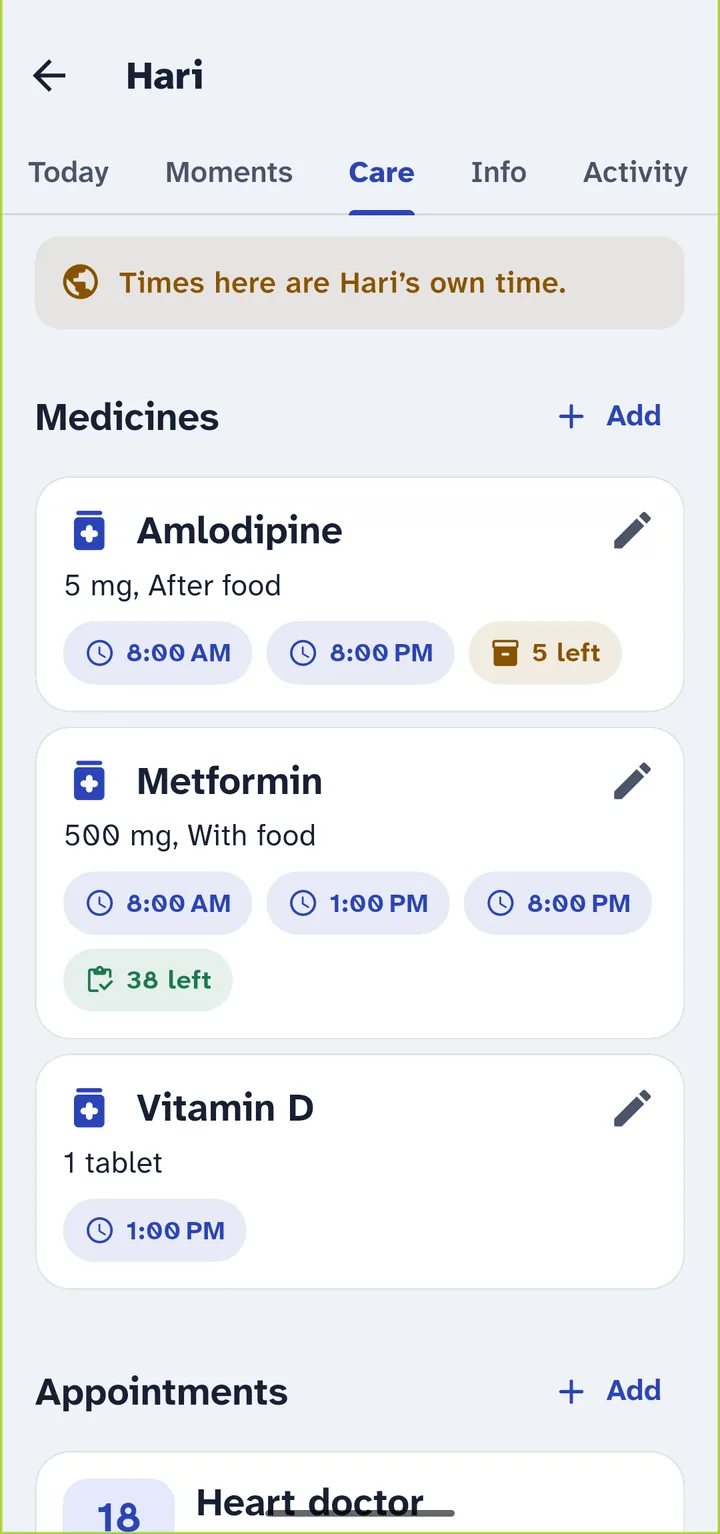
Family home: Hari, 9:24 AM in his town, All good today, check-in Good, 2 of 6 medicines, battery 100%.
Getting started
Set up together in about 15 minutes
In person, or on a video call.
- 1
Install it on their phone
Choose “I use this phone” and type their first name. No email or password for them.
- 2
Link your phone
Their phone shows a six-letter code. Type it into Sarathi on your phone or in a web browser.
- 3
Add what matters
Medicines, appointments, contacts and their radio stations, from wherever you are. Times stay in their time zone.
99 languages, and the emergency number for their country
The voice helper understands and answers in 99 languages. Every screen is translated, and right-to-left languages like Arabic and Urdu flip the layout. SOS calls the local emergency number in about 190 countries.
- English
- नेपाली
- हिन्दी
- Español
- العربية
- বাংলা
- 中文
- Português
- Kiswahili
- Tagalog
- Русский
- اردو
- Français
- 日本語
- Bahasa Indonesia
- Deutsch
- 한국어
- Tiếng Việt
- Türkçe
- தமிழ்
- and 79 more
Privacy
Their information is theirs
- We don’t show ads or sell data.
- Families pay for Sarathi. Advertisers don’t.
- They decide.
- Location sharing and requests from family are their choice, and they can remove anyone from their family list.
- Their words stay theirs.
- Family see how the day is going, not what was said to the helper. Private messages are end-to-end encrypted.
- Safety is free.
- SOS, medicines, reminders and the daily check-in are free on every plan.
Plans
Free for them. Families choose.
Everything is free during the beta. These are the prices we expect afterwards, in US dollars. We’ll tell you well before anything changes.
Free
$0
- Everything on their phone
- 2 family members
- 5 minutes of voice chat a day
- Alerts while your app is open
Family Plus
$4.99 a month
- Alerts even when your app is closed
- Up to 6 family members
- 30 minutes of voice chat a day
- 90 days of history
Family Care
$9.99 a month, from 2027
- Everything in Family Plus
- A 24/7 team to call in an emergency
- Up to 5 people cared for
SOS, medicines, reminders, the daily check-in and private messages are free on every plan. Care homes and charities can write to us.
Research
Why we built Sarathi
Before building anything, we read what is known about older people, their phones and the families who look after them from far away.
Questions families ask
Yes. They can do almost everything by talking, in their own language: call someone, set a reminder, play the radio, hear a message from you. Messages can be read aloud. The buttons are big, few, and every one has a word under it.
Only the family members they link, and only while they stay linked. They can remove anyone. You see how their day is going (check-in, medicines, phone battery), not what they say to the helper. Private messages are end-to-end encrypted, so we can’t read them. We don’t show ads or sell data.
They hold the SOS button. Sarathi tells their family straight away, with where they are, and offers to call the emergency number for their country. Their medical details show on screen for whoever comes to help. If it was a mistake, they tap “I’m okay now” and the family sees that too.
It understands what they ask and reads it back before doing anything. Nothing happens until they say yes. It never sends money, reads out passwords or codes, installs or deletes apps, or gives medical advice, and it always says it’s an AI.
A missed medicine stays on their home screen with a Taken button, and you see it on yours. If they haven’t checked in by the time you choose, Sarathi reminds them first, then lets you know.
The older person never pays. SOS, medicines, reminders, the check-in and private messages stay free. Families can stay on the free plan, which shows alerts while your app is open, or choose Family Plus at US$4.99 a month for alerts even when it’s closed, more family members and more voice time.
Pre-launch beta: join the waitlist
Sarathi is free during the beta, and places are limited. Sign in with Google, tell us a little about your family, and a person on our team approves you. You see it on the same screen.